Blockout first, then the shot
One action idea → a grayscale blockout still → a finished restyle that keeps the same poses and camera → one 5-second image-to-video shot.
A Blender-style blockout (gray untextured stand-ins, readable silhouettes, explicit camera) gives the image and video models a blueprint. An LLM writes the blockout prompt; Muse paints it. A second LLM writes a look bible, Join puts a keep-composition line in front of it, and Muse Edit restyles materials and lighting while keeping the layout. A third LLM writes a short motion brief; Seedance 1.5 Pro animates the finished still. One look and one action throughout. Inspired by <a href="https://x.com/ComfyUI/status/2107848762957983856">ComfyUI on X</a> (blockout then restyle); only the idea is used.
Saved result
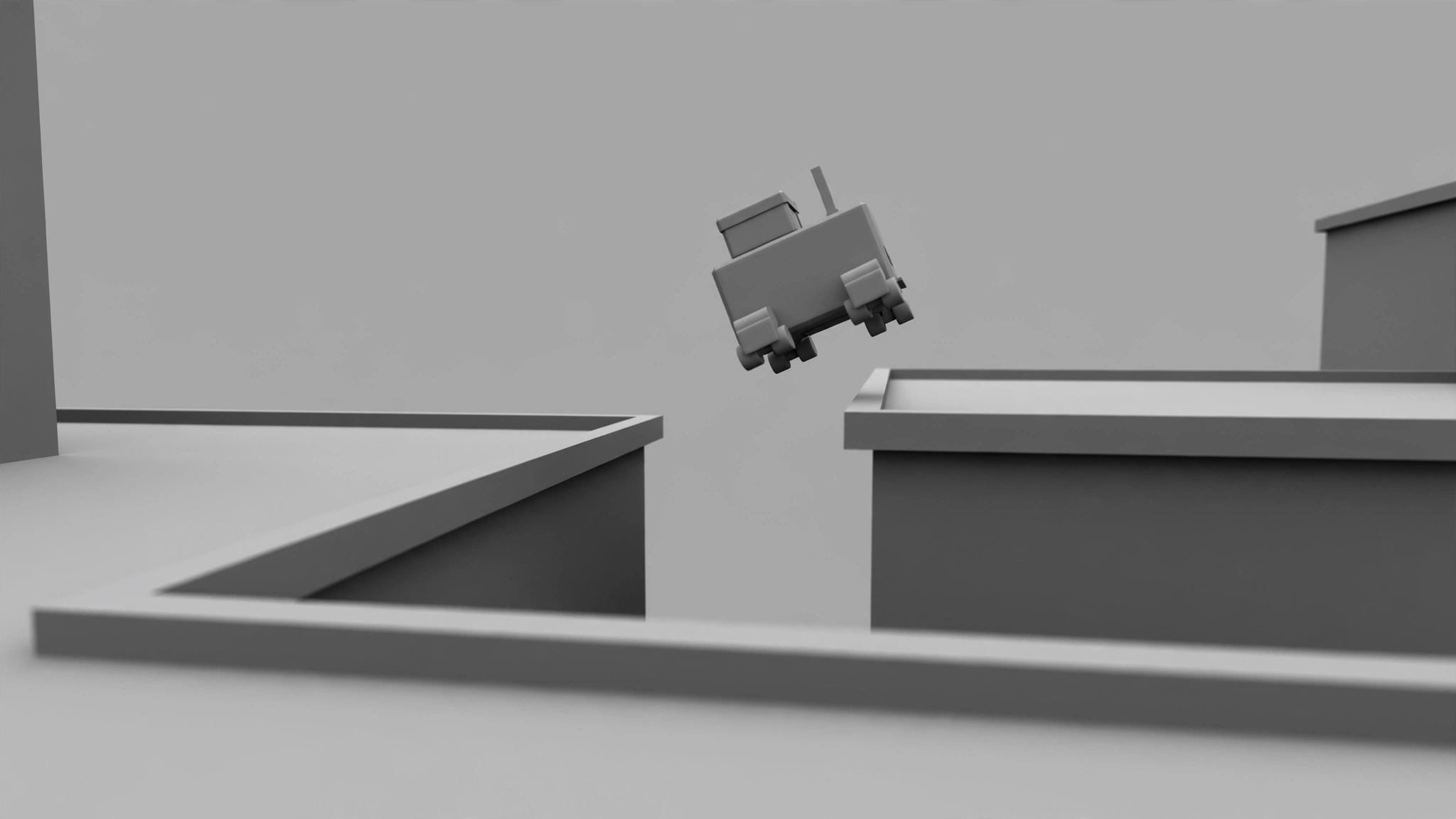
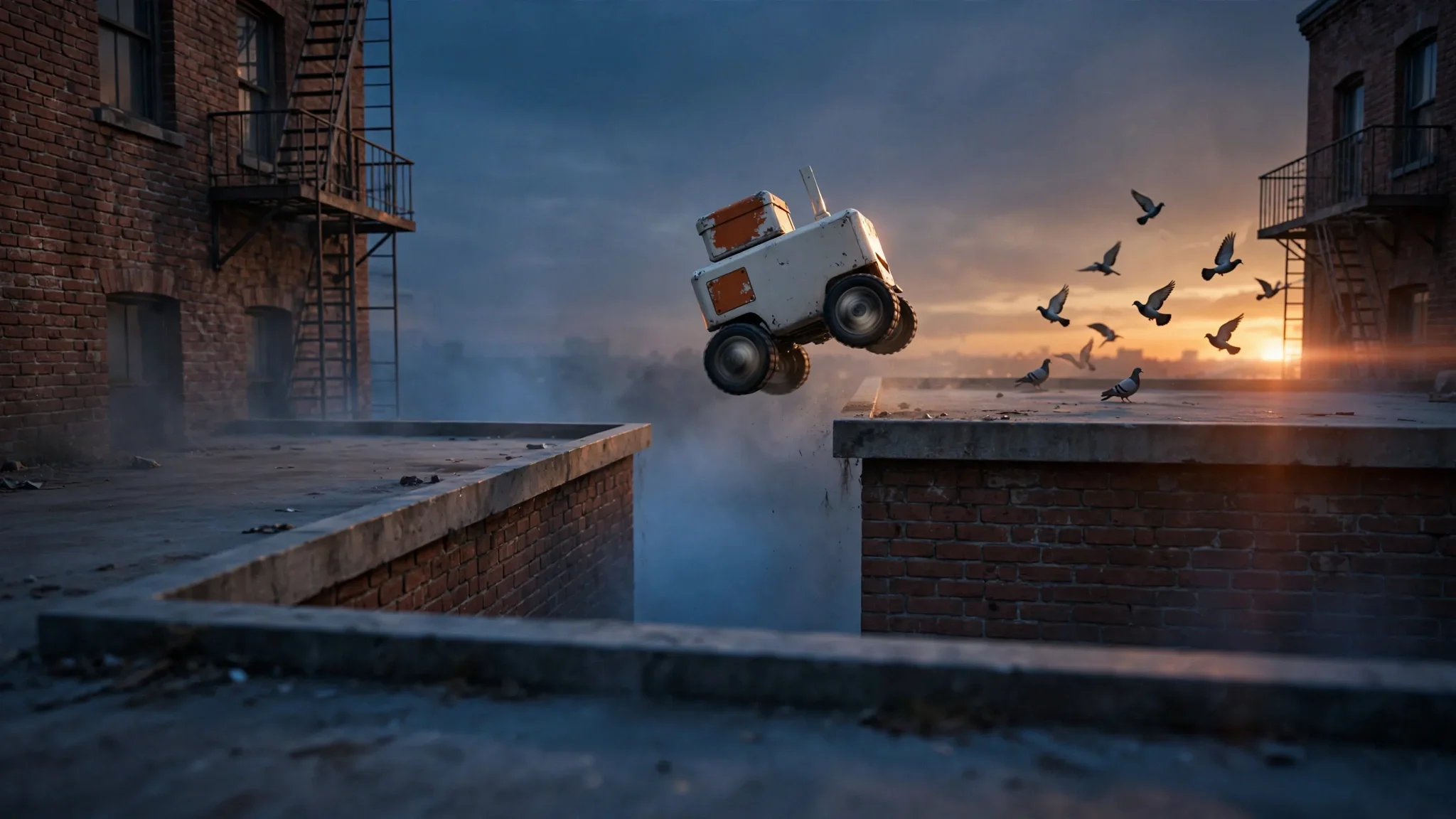
GLM 5.3 Flash writes three prompts from one action idea: a grayscale blockout prompt, a look bible, and a motion brief. Join puts a fixed keep-composition line in front of the look bible and a short animate line in front of the motion brief. Muse paints the blockout: matte gray rooftops and one boxy wheel-legged robot mid-leap over the gap, seen from a low rooftop camera. Muse Edit restyles it into weathered brick, fire escapes, a dusk sky, and an off-white robot with orange panels, keeping the blockout's layout, robot pose, and camera; it also adds a flock of pigeons that the look bible asked for. Seedance 1.5 Pro (720p, 5 s, silent) animates the finished still: the robot sails over the gap, spins sideways in mid-air, lands on the far roof, and the camera swings round behind it as it rolls toward the sunset. Flaws: the mid-air spin was not asked for, the landing has no crouch-and-settle, and the robot keeps rolling instead of holding still. Inspired by ComfyUI's blockout-then-restyle post on X; no media from that post is used.
Make it yours
- Open the graph — save first if the canvas already has your work. Undo brings yours back.
- Rewrite Action idea with clear poses and one camera path (family-friendly). To change the finished look, edit the Look bible system prompt or swap the Edit model. To change motion, edit the Motion brief system prompt or swap the Image → Video model. Keep resolution and duration matched if you swap video models. Running the graph makes three cheap text calls, one image call, one edit call, and one paid video call.
- Check the editor estimate, then run with your NanoGPT key. The saved sample reported about $0.15: Seedance 1.5 Pro at $0.13 (720p, 5 s, audio off), Muse text-to-image $0.01, Muse Edit $0.01, and about $0.0002 for three GLM 5.3 Flash calls. Join nodes are free. Prices and results vary.
- Compare the blockout still to the finished still: the rooftops, the robot's mid-leap pose, and the camera should match. Then scrub the clip. In the saved run the robot clears the gap and lands on the far roof, but it also spins sideways in mid-air, skips the crouch, and keeps rolling while the camera swings behind it.
Download workflow · Original sampled graph · Explore MCP tools · awesome-noodles