One prompt, one looping GIF
Type one line and get two looping animated GIFs, a sticker, emoji or simple game sprite, from GPT Image 2.6 Flare and Sunburst.
Show that an ordinary Image node can return an animation. A small LLM writes the brief so the motion ends on its starting pose, and the GIF settings in each Image node's model options (output format gif, a short frame_count, 100 ms a frame) make GPT Image 2.6 send back a looping GIF from one call, with no video model or frame stitching.
Saved result
A cute cartoon pelican riding a small red bicycle, drawn in a clean sticker style with bold black outlines and flat colours, side view, fully in frame and centred. The pelican pedals steadily, its legs tracing smooth circles while the wheels rotate and its body bobs gently up and down in place; the last frame returns exactly to the starting pose so the motion loops seamlessly. Plain flat solid light-blue background with nothing else in the scene, no ground, no shadow, no text. The camera stays perfectly still throughout. Family friendly, cheerful, simple repeating cycle of twelve frames.
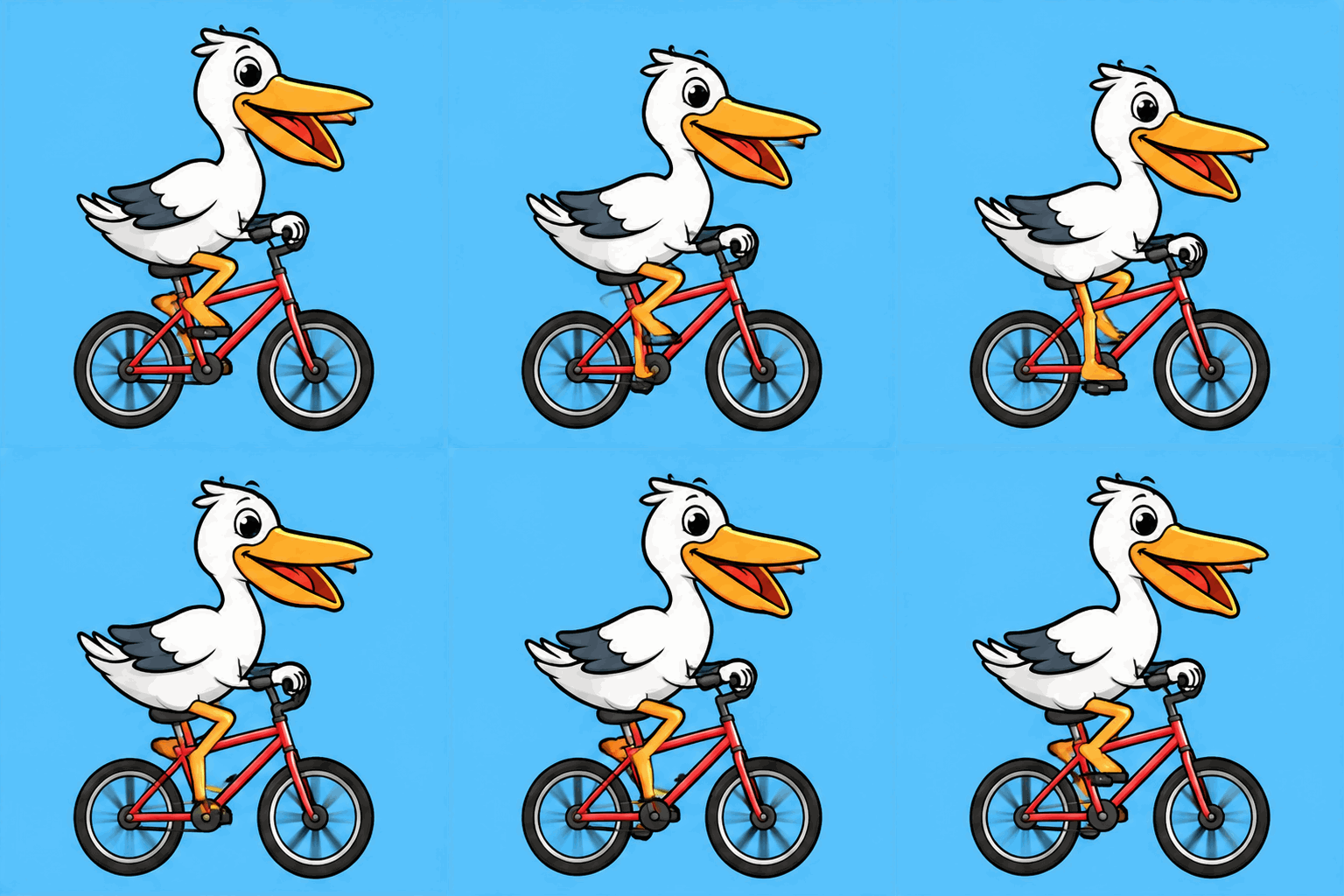
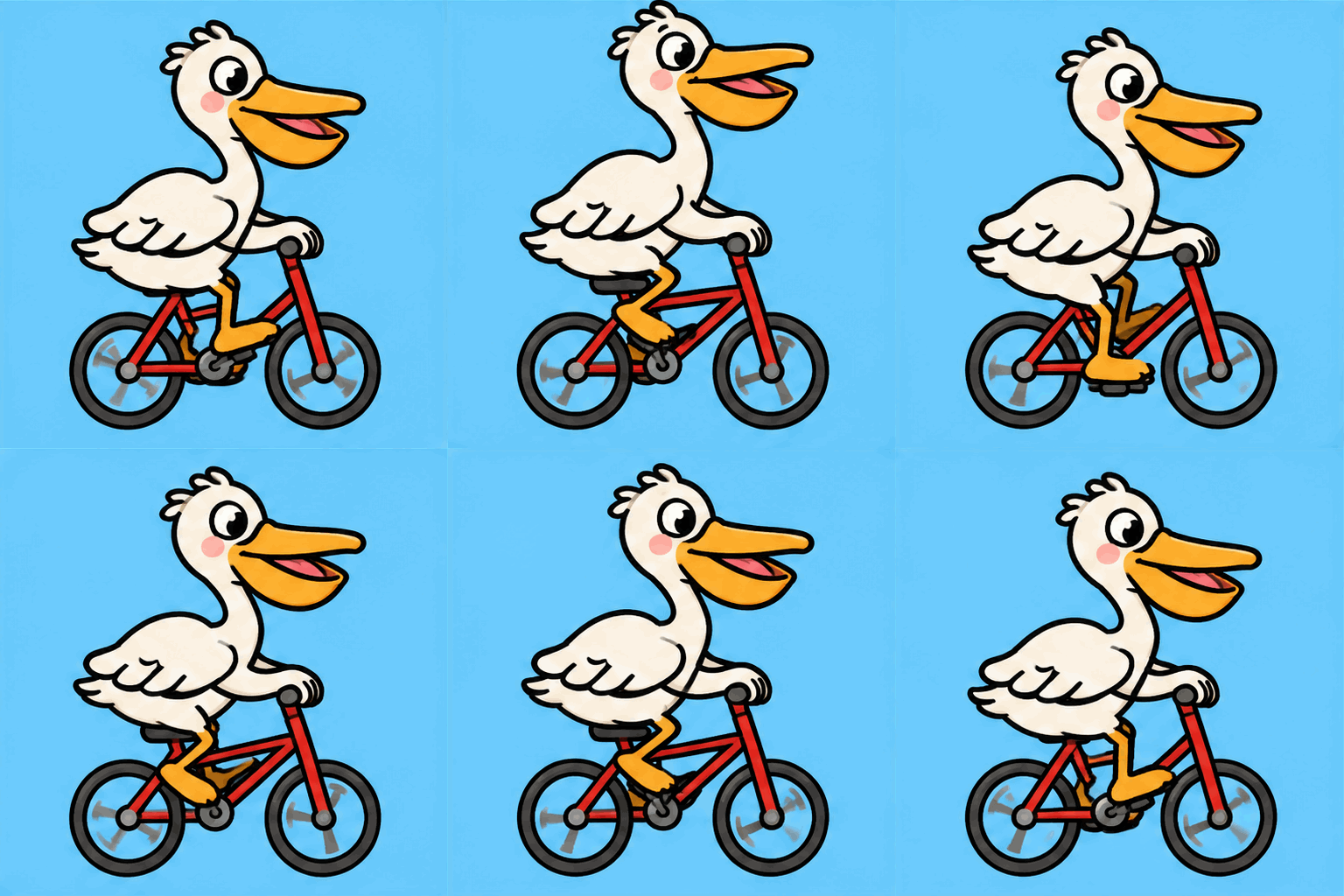
You type one line, "a pelican riding a bicycle". GLM 5.3 Flash rewrites it as a loop-ready animation brief: sticker style, side view, one pedalling cycle that ends on the pose it started from, a still camera and a plain light-blue background. The same brief goes to the two new GPT Image 2.6 models, Flare (fast) and Sunburst (detailed), and each Image node returns a 12-frame animated GIF (512×512, 100 ms a frame, a 1.2 s loop that repeats forever) from a single image call. There is no video model, no frame stitching and no ffmpeg in the graph. This is the first nanoodle example whose output is an animated GIF, and the first to use GPT Image 2.6. The GIF settings ride in each Image node's model options: output_format gif, frame_count 12, frame_duration_ms 100, background opaque, quality medium. Both GIFs below are the files the API returned, untouched. Flaws: Flare's bird has no throat pouch, so it reads more like a stork or gull than a pelican; Sunburst's has the pouch and pink cheeks. In both GIFs the feet often miss the pedals, a leg passes through the frame tube in some frames and the crank doesn't turn a clean circle, so it only reads as pedalling at speed. Sunburst's head and body shift a few pixels between frames, so it looks slightly jittery; Flare is steadier. The loop seam is about as big as any other frame step, so there's no visible jump, but at 10 fps the motion is stepped. A transparent background isn't possible: GIF plus background transparent returns a 400 ("Transparent backgrounds require PNG or WebP output"), so key out the flat blue yourself for a real sticker. Each 1.2 s GIF is over 700 KB, heavy for a sticker. Sunburst took 28.8 s against Flare's 12.3 s at the same price. Every one of the 24 GIF frames was checked at full size and is SFW (a cartoon bird on a bicycle; no people, text or logos). Inspired by @SSHCodes trying "gpt image 2.6 generate a gif of a pelican riding a bicycle" (https://x.com/SSHCodes/status/2118127375481504100), a riff on Simon Willison's pelican-on-a-bicycle benchmark, and by @maker_evan's sprite GIFs (https://x.com/maker_evan/status/2118235531608039709). No media from those posts is used. Write-up: https://subnano.me/@nano_maxi/one-prompt-one-looping-gif-pelican-on-a-bicycle-for-19-cents-with-gpt-image-26
Make it yours
- Open the graph — save first if the canvas already has your work. Undo brings yours back.
- Change Idea (one line) to animate something else. To change output_format (keep
gif), frame_count (2–16 in practice), frame_duration_ms (20–2000) or quality, edit those keys in the Image node'smodelOptsin the exported or saved graph JSON — or leave the preset as-is. Keep the background opaque: a transparent GIF is rejected. Delete one Image node if you only want one model. - Check the editor estimate, then run with your NanoGPT key. GLM 5.3 Flash $0.0005 + two 12-frame 512² medium GIFs at $0.0948 each (billed on 1835 image-output tokens). The saved run was $0.19. GPT Image 2.6 bills GIF output on returned tokens, so more frames, bigger sizes or higher quality cost more; the still-image catalog price is not the GIF bill, and the editor shows GIF cost as unknown until settlement. The current workflow uses seven 960×960 frames. Both padded frame-sheet layouts are 3840×1920 or its transpose: 7,372,800 pixels, within NanoGPT's 3840 edge and 8,294,400 pixel limits. Counting only the seven occupied cells misses the sheet's unused eighth cell. The saved sample stays at 12 frames × 512²; the current preset has not been generated here and its cost may differ.
- Watch each GIF loop a few times: check that the last frame flows back into the first without a jump, that the subject stays in place, and that the motion reads at full speed. Here Flare is steadier but its bird looks more like a stork; Sunburst draws a clearer pelican but wobbles a little.
The saved run asked for 12-frame 512×512 GIFs. The current runnable workflow uses seven 960×960 frames, which fit NanoGPT's padded frame-sheet limits, with the same Flare and Sunburst models and opaque background. The editor and exported player preserve this custom size. The original sampled graph, GIFs and reported $0.19 cost remain unchanged. The current preset has not been generated for this example, so its output and cost may differ; check the estimate and GIF cost warning before running.
Download workflow · Original sampled graph · Explore MCP tools · awesome-noodles