One still. Orbit to a new side.
Turn one character still into a short orbit that shows the same subject from new angles.
Shows MiniMax H3 Max Multi Angle's orbit-right camera control on a SFW paper-craft subject — the multi-angle character trick people share from ComfyUI, without anime-girl defaults.
Saved result
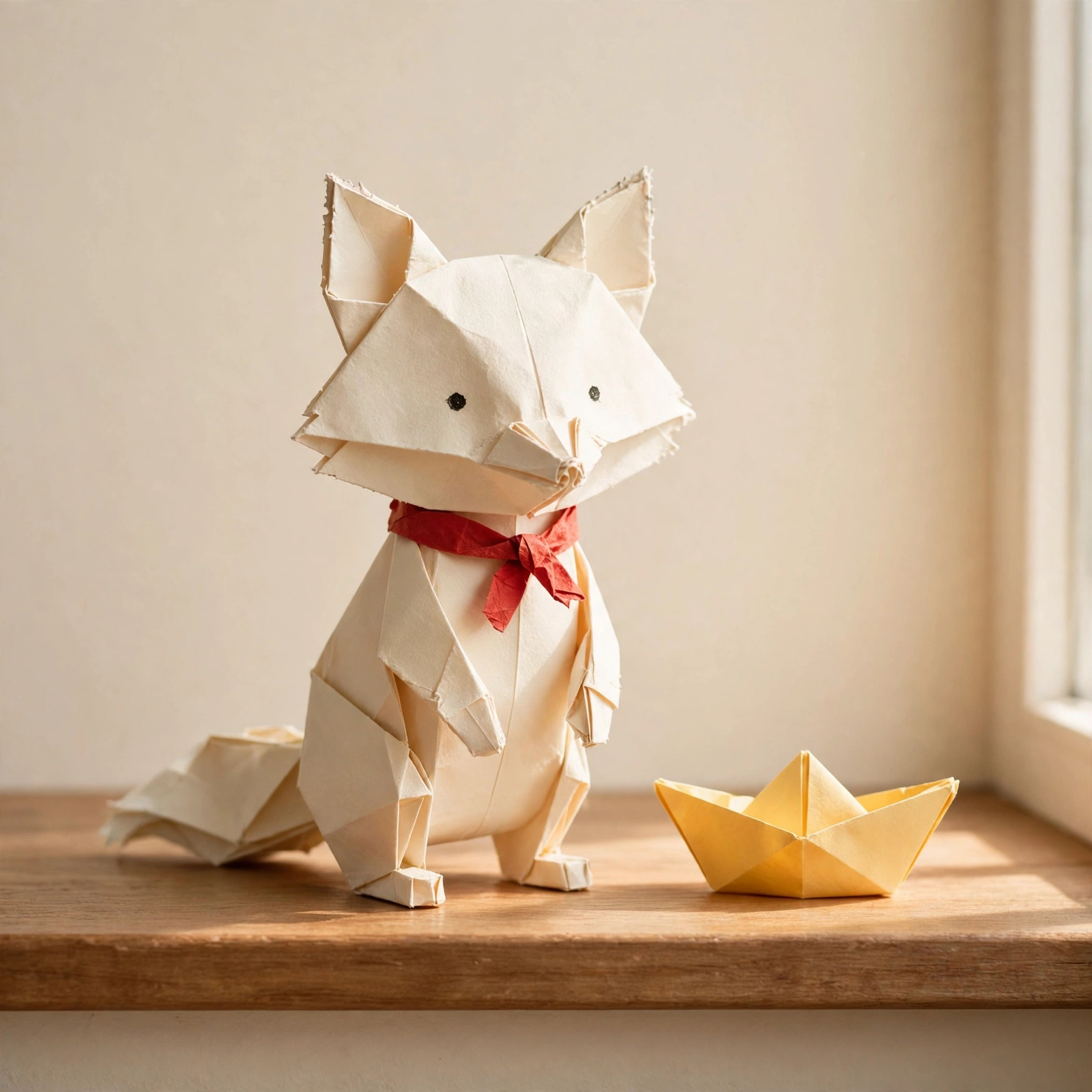
A cream paper fox with a tiny red scarf stands on a sunny wooden windowsill next to a yellow paper boat. GLM 5.3 Flash writes one Muse still prompt; Muse paints the 1:1 still; MiniMax H3 Max Multi Angle (orbit-right 90°, 480p, 5 s) turns the camera around the same subject so you see new sides without rewriting identity. Flaws: the orbit ends closer to a side/three-quarter view than a hard back shot, the yellow boat drifts a little relative to the fox, the scarf sometimes reads as a bow, and the background invents a deeper room as the camera moves. Checked frames are SFW. Inspired by ComfyUI multi-angle character workflows shared via @ai_hakase_ (https://x.com/ai_hakase_/status/2110356121911283849); no media from that post is used.
Make it yours
- Open the graph — save first if the canvas already has your work. Undo brings yours back.
- Rewrite Character seed with a new SFW physical toy or paper subject (full body, fixed three-quarter view). Keep Still rules, the Join → GLM still-prompt path, and the Multi Angle node on orbit-right. Try orbit-left or rise in modelOpts if you want a different turn.
- Check the editor estimate, then run with your NanoGPT key. One GLM 5.3 Flash call, one Muse 1:1 still (~$0.01), and one H3 Max Multi Angle 5 s 480p call ($0.25). The saved run was about $0.26 total. Longer durations or higher resolutions raise the price.
- Watch whether identity (scarf, boat, paper folds) holds across the orbit. Check that the subject stays centered and that the ending angle is a real new side, not a morph. Look for background invention and prop drift.
Inspired by ComfyUI "Múltiplos ângulos de personagens" / multi-angle character workflows (https://x.com/ai_hakase_/status/2110356121911283849). Original media not copied.
Download workflow · Original sampled graph · Explore MCP tools · awesome-noodles