Product photo to a hero ad
Turn one plain product photo into an ad shot: placed in a scene, retouched where it went wrong, and moving.
Show a small commercial pipeline: an Edit node places the product and is told to keep it identical, an Inpaint node changes only a brushed area so you can fix one mistake without rerolling the whole scene, and Image→Video adds one slow camera move whose last frame doubles as the hero still.
Saved result
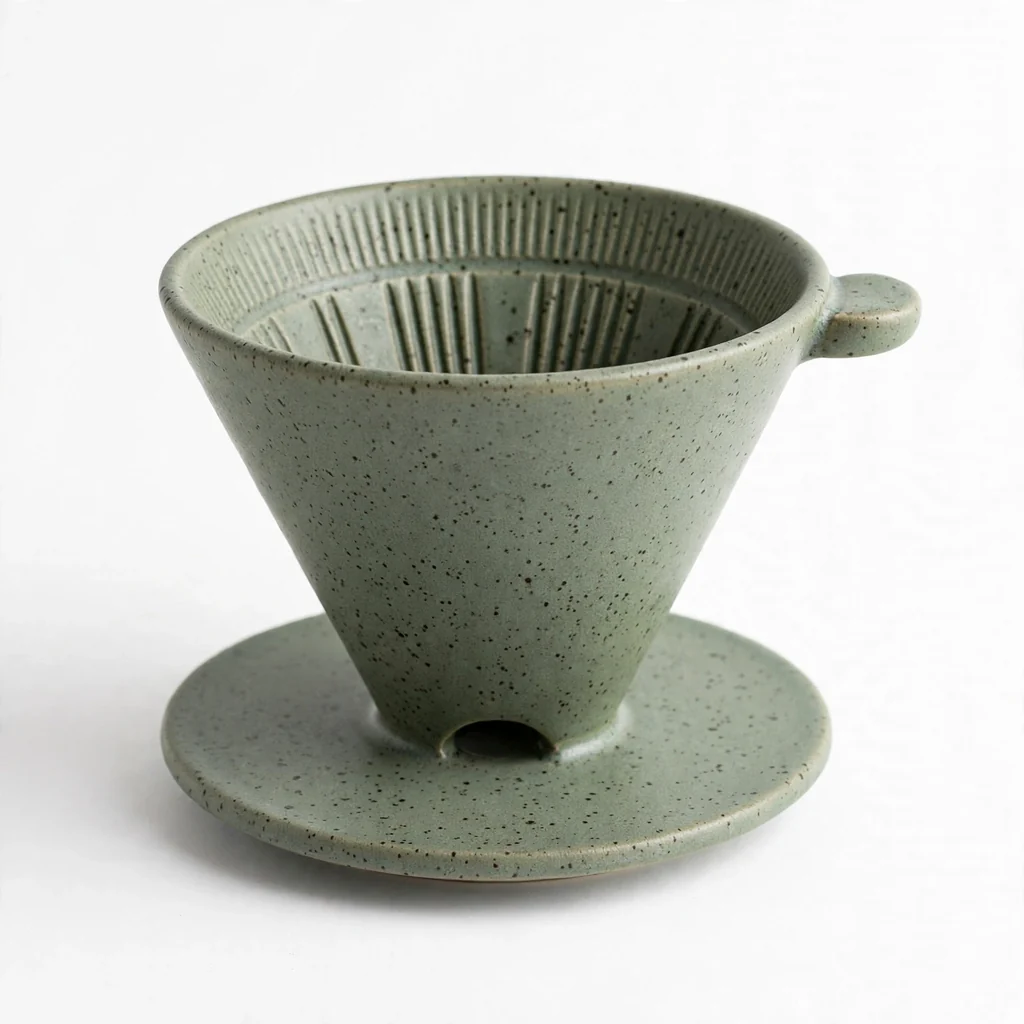
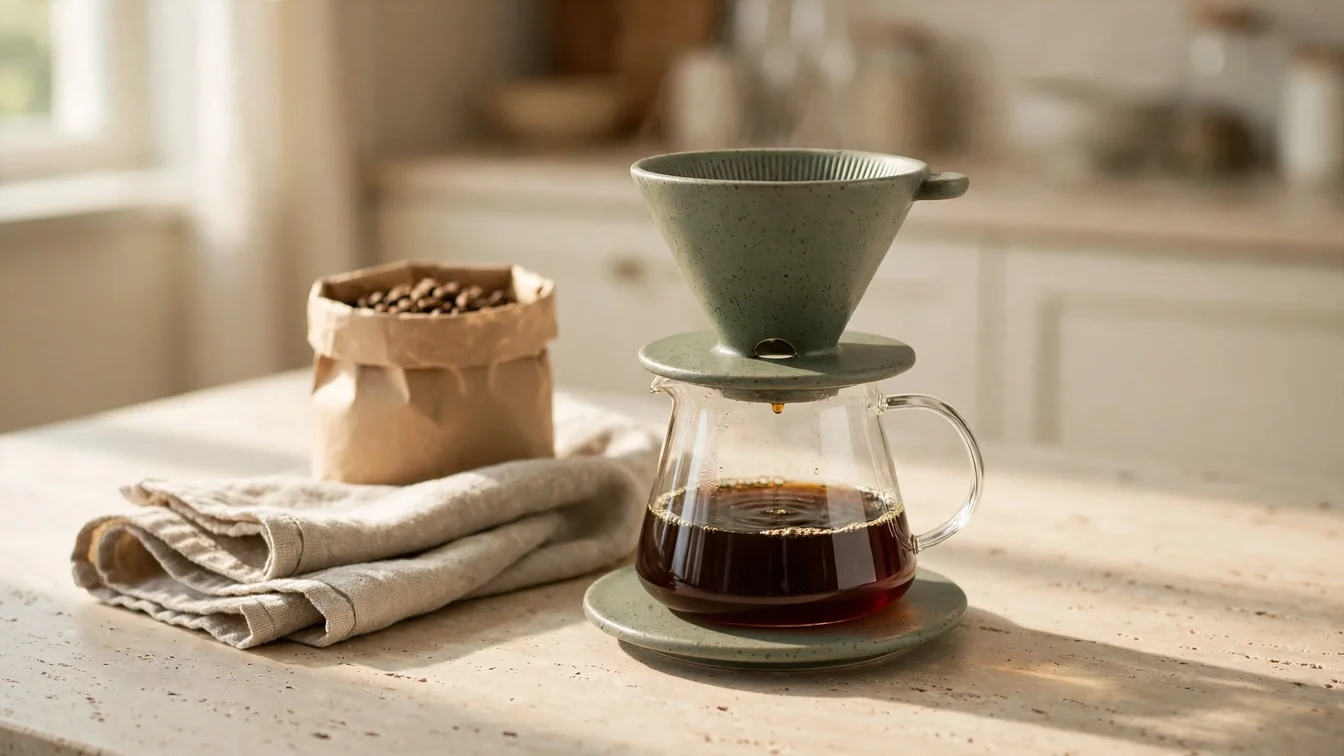
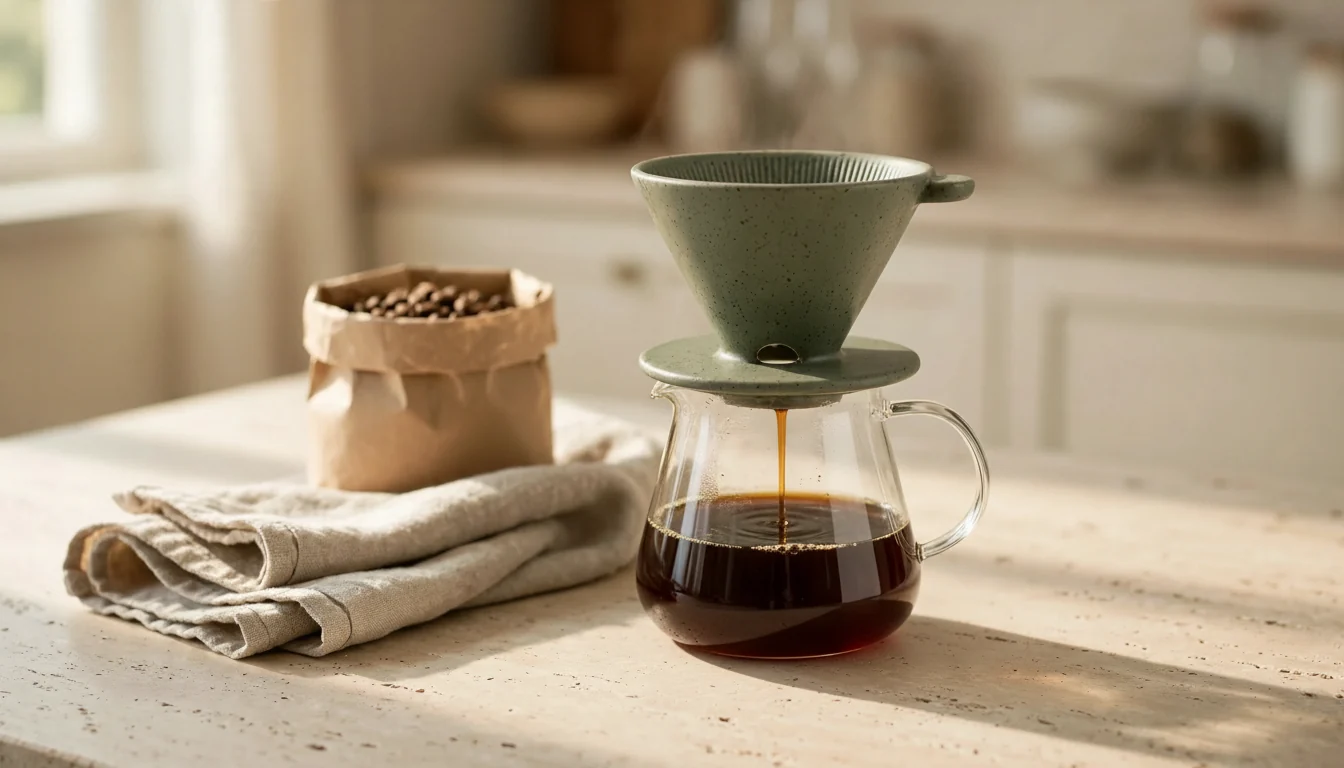
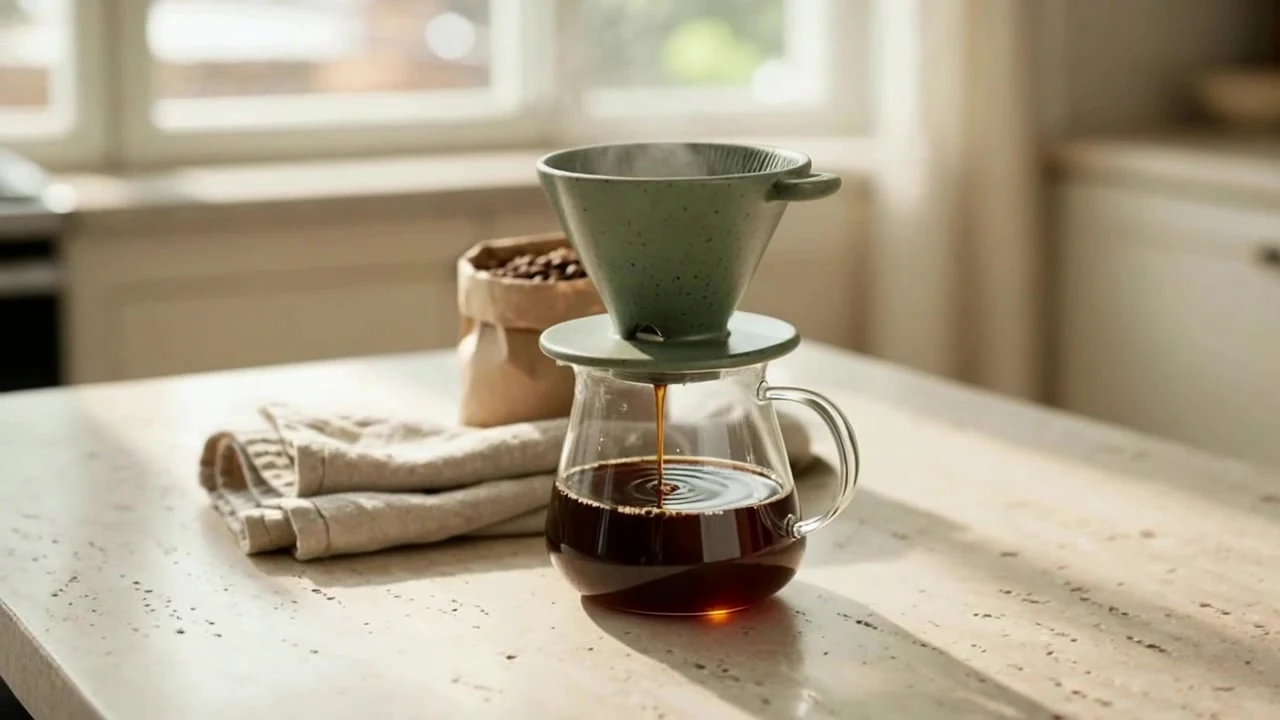
Muse paints a stand-in product packshot: a handmade sage-green speckled ceramic pour-over dripper with a ribbed inside, a thumb tab and a matching saucer, on white. Muse Edit places that exact dripper on a travertine kitchen counter, standing on a glass carafe of coffee next to a kraft bag of beans and a linen towel, in morning window light. The cone, glaze, speckles and tab come through. But the placement also invented a second sage saucer under the carafe, so the product shows up twice. The Inpaint node fixes only that: a brushed mask over the extra saucer, and Nano Banana Edit paints the carafe's glass bottom straight onto the stone. Seedance 1.5 Pro (720p, 5 s, no audio) then does one slow orbit: the camera arcs around the dripper, the bean bag slides behind it, the window drifts past, and it settles closer on the dripper over the carafe. Video → frames keeps that last frame as a hero still. Flaws: the placement turned the saucer into the dripper's base plate and then added the duplicate. Outside the mask the fix is close but not pixel-identical (mean change about 6/255): it also turned the single drip into a thin running stream and came back smaller (1344×768). Around 2 s a coffee drop falls into the dripper from above the frame, because the motion prompt asked for a falling drop and Seedance placed it wrong. The steam is heavier than a real pour-over. A retake with a reworded motion prompt was worse (an invisible pour from above and a smaller orbit), so the first take is the one shown. Swap the packshot Image node for a 📷 Image input to use your own product photo, then re-brush the mask on your scene. Every image and sampled video frame was checked and is SFW (a ceramic product in a kitchen, no people, no logos). Inspired by @Genflickmovies' "one product photo into a hero ad in three nodes" (https://x.com/Genflickmovies/status/2112318819133702620). No media from that post is used.
Make it yours
- Open the graph — save first if the canvas already has your work. Undo brings yours back.
- Rewrite Product photo · prompt for your product, or swap the packshot Image node for a 📷 Image input with your own product on a plain background. Rewrite Placement · instruction for your setting, and keep its "keep the product identical" lines. Run up to the scene and look for what went wrong, then brush that area on the Inpaint node (or replace Mask · white = repaint) and say what belongs there in Fix · what goes in the mask. Hero move · look + motion sets the look and the camera move.
- Check the editor estimate, then run with your NanoGPT key. Muse 1:1 $0.011 + Muse Edit 16:9 $0.011 + Nano Banana Edit inpaint $0.039 + Seedance 1.5 Pro 720p 5 s without audio, reported $0.13 (the catalog estimate is about $0.08). Video → frames is free. The saved run was $0.191. With your own product photo, skip the Muse packshot.
- Compare the placed product with your packshot: shape, color, handles and any parts the model may have duplicated or merged (here the saucer turned up twice). After the fix, check that only the brushed area changed. In the clip, watch the product's shape through the orbit and look for things that appear from nowhere (here a falling drop at about 2 s).
Download workflow · Original sampled graph · Explore MCP tools · awesome-noodles