Color art to a printed manga panel
Turn a color illustration into a black-and-white manga panel with ink, solid blacks and screentone.
Show a production-step edit: the same picture redrawn for black-and-white print. Composition stays put and only the rendering changes: color becomes line art, solid black fills and dot tones.
Saved result
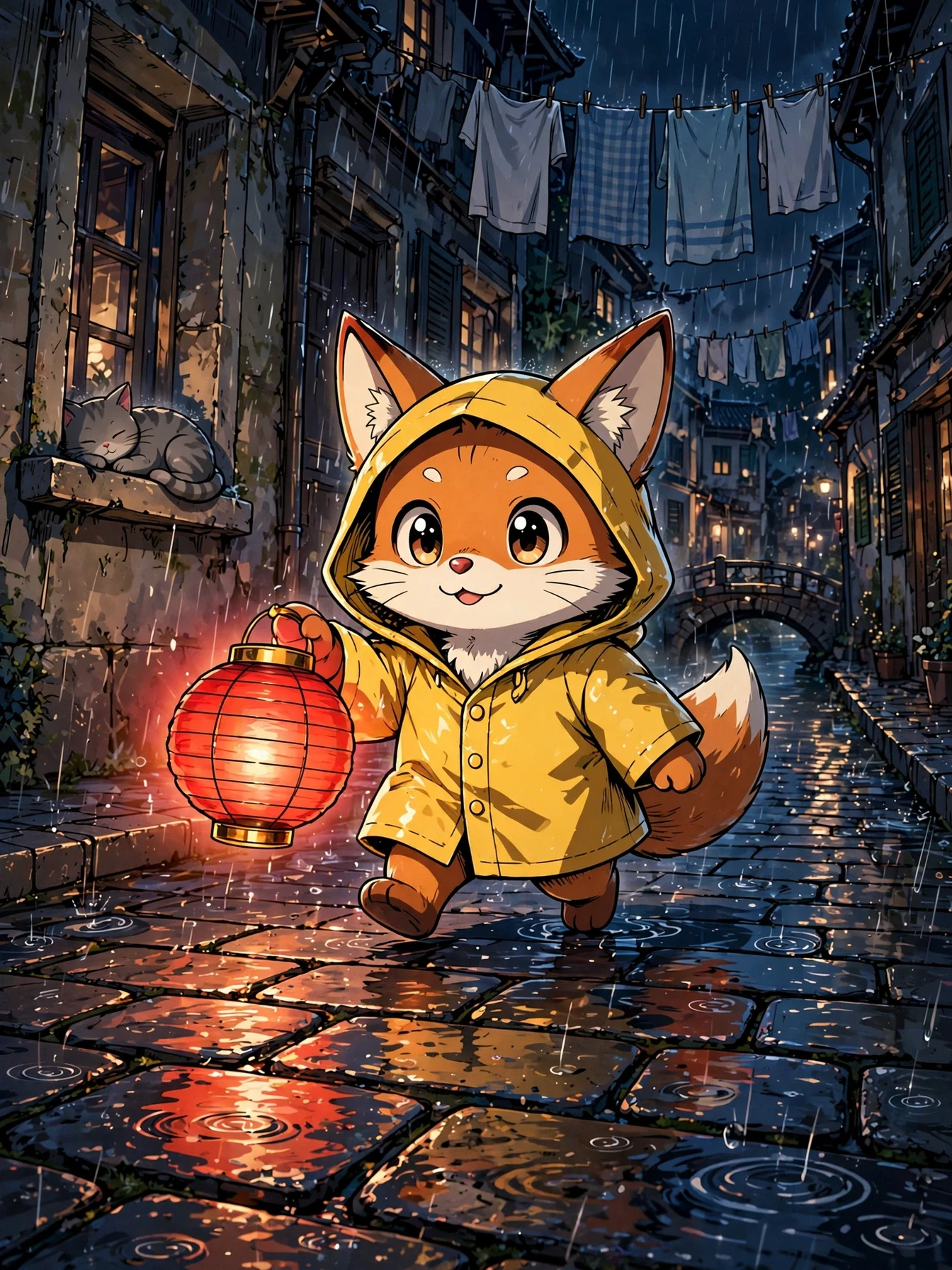
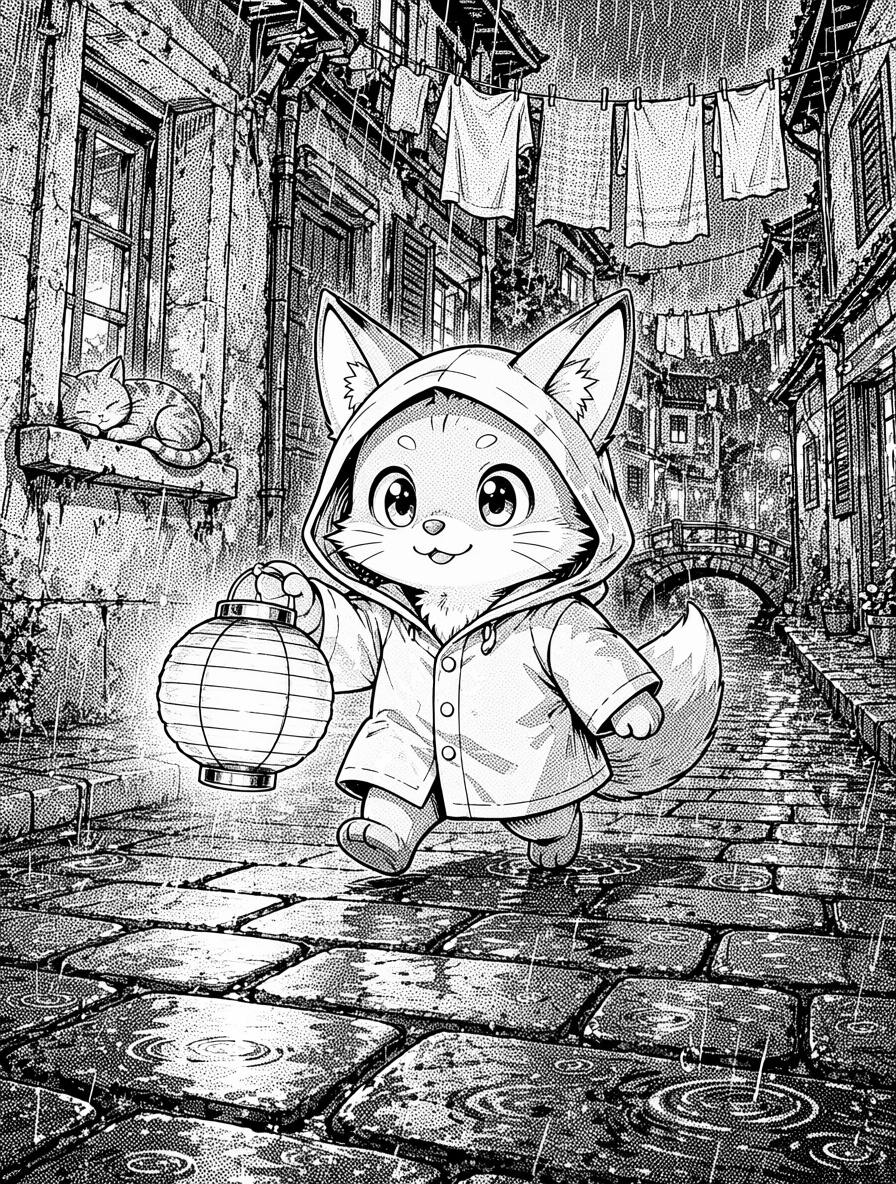
Muse paints a color anime-style panel: a cartoon fox in a yellow raincoat carries a red paper lantern down a rainy old-town street at night, with a cat asleep on a windowsill, laundry overhead and a small bridge behind. Qwen Image 2.1 Edit redraws it in one pass as a black-and-white manga panel. The composition, pose and every background element stay in place. Outlines come back as crisp ink, the night sky and shadows become solid blacks and dense dots, walls and cobblestones get screentone, and the lantern glow stays white paper. Flaws: the tones are dots the model drew, scattered rather than a true 45° halftone grid, so this is not the mechanical tone pass the ComfyUI-MangaScreen node does. The yellow coat and orange fur both go nearly white, so the fox loses its color contrast and reads a little like a cat. The panel comes back at 896×1184, smaller than the 1344×1792 color art. Swap the Muse node for a 📷 Image input to convert your own picture. Both outputs were checked and are SFW (a cartoon animal, no people). Inspired by the ComfyUI-MangaScreen node by @renrenrenz5cq (https://x.com/renrenrenz5cq/status/2110357826745098659) and @studiomasakaki's Qwen + MangaScreen recipe (https://x.com/studiomasakaki/status/2111473583835004974). No media from those posts is used.
Make it yours
- Open the graph — save first if the canvas already has your work. Undo brings yours back.
- Rewrite Color art · prompt for a different scene, or replace the Muse node with a 📷 Image input and drop in your own color art. Manga conversion · instruction holds the ink rules (line weight, which areas go solid black, how dense the dots get). Change them for a lighter or heavier tone pass.
- Check the editor estimate, then run with your NanoGPT key. One Muse 3:4 still at $0.011 and one Qwen Image 2.1 Edit at 1k for $0.03. The saved run was $0.041. With your own art in place of the Muse still it is $0.03.
- Put the two images side by side. Check that every object is still in the same place, that the darkest areas went solid black, that mid-tones became dots rather than smooth grey, and that highlights stayed white. Zoom in: the dots here are drawn by the model, not a regular halftone grid.
Download workflow · Original sampled graph · Explore MCP tools · awesome-noodles