Day to night between two keyframes
Make a clip that starts on one still and ends on another, here midday to night.
Show start + end frame video: an Image→Video node with an end-frame port. The model has to get from the first image to the second, so you choose both ends of the shot and it fills in the change between them.
Saved result
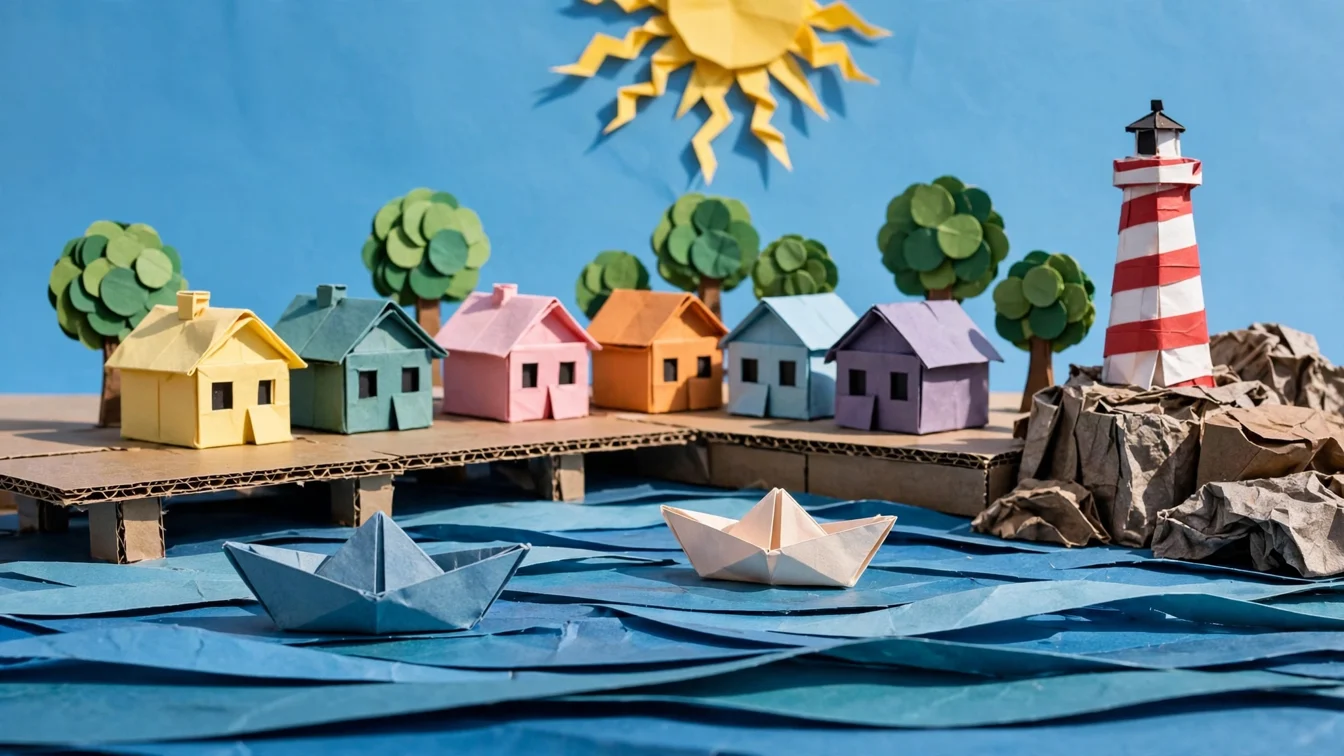
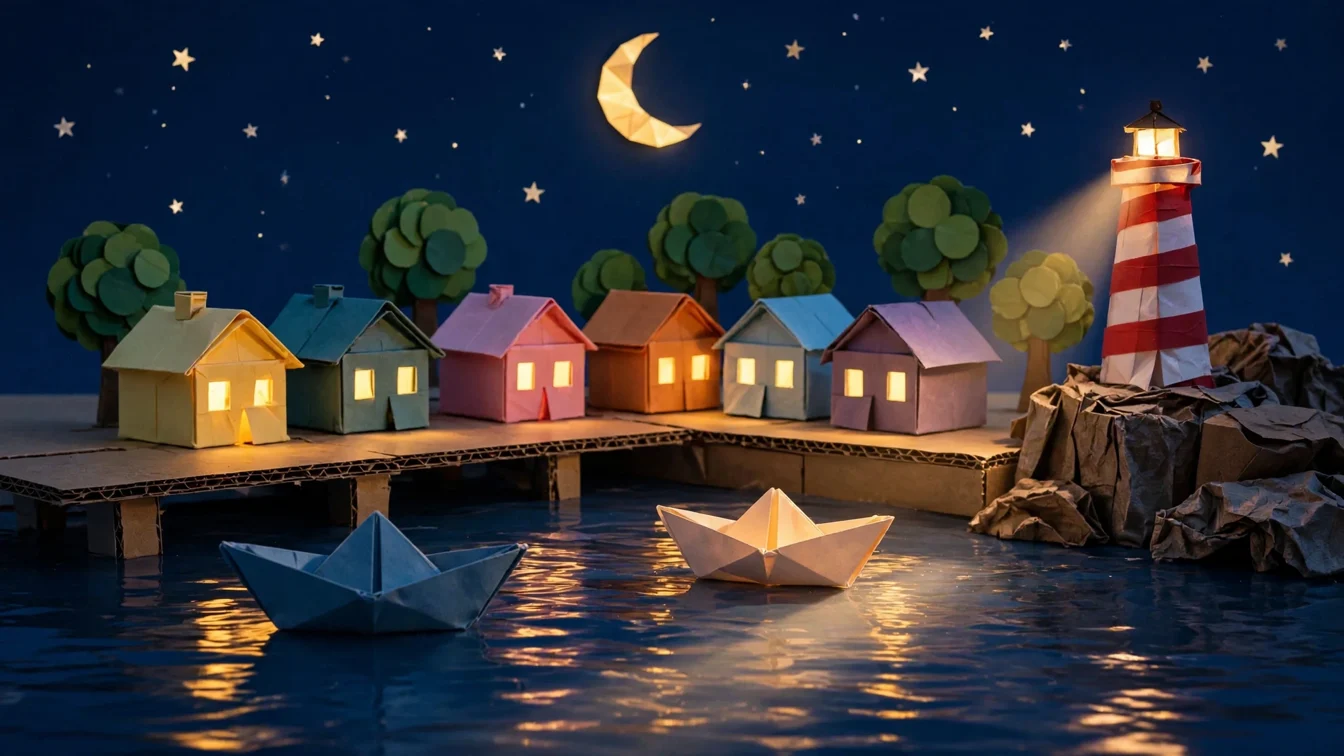
Muse paints a paper-craft seaside village at midday: six card houses, a striped lighthouse, two folded paper boats and a paper sun. Muse Edit repaints the same shot at night, with lit windows, the lighthouse lamp on, a paper crescent moon and stars. MiniMax H3 Max gets the day still on its image port and the night still on its end-frame port. Across 5 seconds the camera holds still while the sun sinks behind the trees, the sky goes from blue through orange and pink to navy, the windows light up and the lighthouse switches on. The clip ends on the night keyframe. It is the gallery's first start + end frame example. Flaws: the night keyframe turned the layered paper waves into glossy real-looking water, so the water changes material during the clip. The moon and stars appear only in the last second instead of fading in, and the lighthouse gives a soft glow, not a sweeping beam. The 480p setting was dropped by the headless runner (it sends resolution only when it has the model catalog), so the clip rendered at H3 Max's default 768p for $0.40. The saved graph says 768p to match. H3 Max also added a faint ambient sound bed. Swap either keyframe for a 📷 Image input to morph between your own before and after. Every keyframe and sampled video frame was checked and is SFW (paper scenery, no people). Inspired by @Audrius1454663's open-source rebuild of Higgsfield's VFX presets, Day→Night among them, on the Comfy Developer Platform (https://x.com/Audrius1454663/status/2111177673842012349). No media from that post is used.
Make it yours
- Open the graph — save first if the canvas already has your work. Undo brings yours back.
- Rewrite Day keyframe · prompt for a different place, and Night keyframe · instruction for a different change (winter, a storm, a finished room). Keep "same camera, same framing" in the instruction so the two frames line up. Or swap either Image node for a 📷 Image input to use your own before and after. Transition · motion prompt describes what happens in between.
- Check the editor estimate, then run with your NanoGPT key. Muse 16:9 $0.011 + Muse Edit 16:9 $0.011 + MiniMax H3 Max at 768p for 5 s, $0.40. The saved run was $0.422. Set the video node to 480p for about $0.25.
- Check that the first frame matches the day still and the last frame matches the night still, and that nothing jumps in between. Watch for materials that change mid-clip (here the paper waves turn into real water) and for details that pop in late instead of fading in (here the moon and stars).
Download workflow · Original sampled graph · Explore MCP tools · awesome-noodles