Mesh diet
One photo → a 30,000-triangle mesh, retopologized down to the face budget your engine actually allows.
Idol Max Turbo rebuilds the photo as a textured mesh of exactly 30,000 triangles; Hyper3D Low Poly then retopologizes it to a target face count you set (4,000 in the saved run, inside its 200–10,000 range), carrying the UVs and PBR textures over. A Gemini surveyor first writes down the silhouette features that must survive the cut, and a GLM guide closes with the budget table — Roblox caps a mesh at 20,000 triangles, mobile props run 300–3,000, WebGL props 1,000–10,000 — and the honest edges.
Saved result
Object survey · Gemini names the silhouette that must survive · reported $0.0034
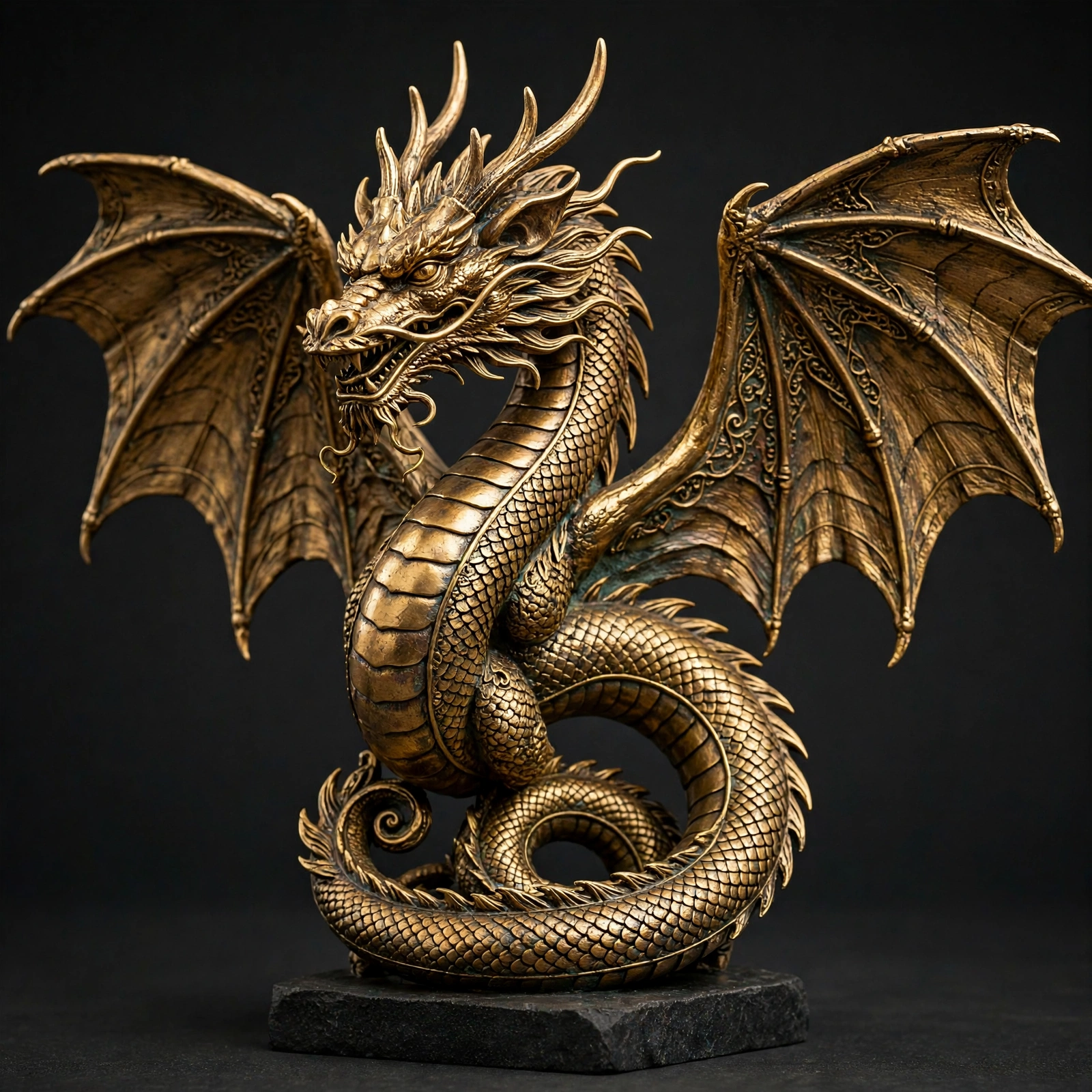
Object: Bronze winged dragon figurine on a flat square plinth. Silhouette: Wide, scalloped bat-like wings spread bilaterally; upright S-curving serpentine neck and torso; helical coiled tail forming a circular base; antlered head profile angled forward. Fragile details: Slender curling chin whiskers; thin cranial horns and mane spikes; pointed wing membrane tips and claws; sharp dorsal spinal ridge scales; open jaw with individual small teeth.
Mesh-diet guide · GLM writes the budget table and the honest edges · reported $0.00
WHAT YOU GOT Your bronze winged dragon figurine, rebuilt as a low-poly mesh ready for a game engine. The full silhouette survived the diet: the wide scalloped bat wings still spread bilaterally with their scalloped trailing edges, the S-curving serpentine neck and torso still reads as an upright S, the helical coiled tail still forms its circular base, and the antlered head profile still angles forward. The flat square plinth is intact. The bronze PBR textures and UVs carried over from the original mesh, so the material look is unchanged. The retopology target you set was 4,000 faces; the tested output measured 3,876 triangles. Automatic retopology lands NEAR its target, not exactly on it — quote the target as a target, and check the final count in your engine. PICK YOUR BUDGET The face-count field is the lever. Roblox caps a single mesh at 20,000 triangles, so this mesh fits comfortably with room to spare. Mobile props typically run 300–3,000 triangles, so dropping the target lower — say 1,500–2,500 — would suit a mobile scene, at the cost of softer wing scallops and tail coils. WebGL/three.js props run 1,000–10,000, so the current setting sits mid-range there. Keep a target near 4,000 if this dragon is a hero prop on a plinth; lower it if you need a crowd of them or a background piece. THE HONEST EDGES Automatic retopology is not hand retopology: a character that must deform at the joints still wants edge loops a person designs. Props, environment pieces and LODs — like this figurine — are exactly what this is for. The diet is in triangles, not megabytes: the output file can be as large as the input, because texture resolution is a separate lever. And the survey's fragile details will soften first — the curling chin whiskers, thin cranial horns and mane spikes, pointed wing tips and claws, the sharp dorsal scale ridge, and the individual teeth in the open jaw are the places to inspect closely before shipping.
References that went in
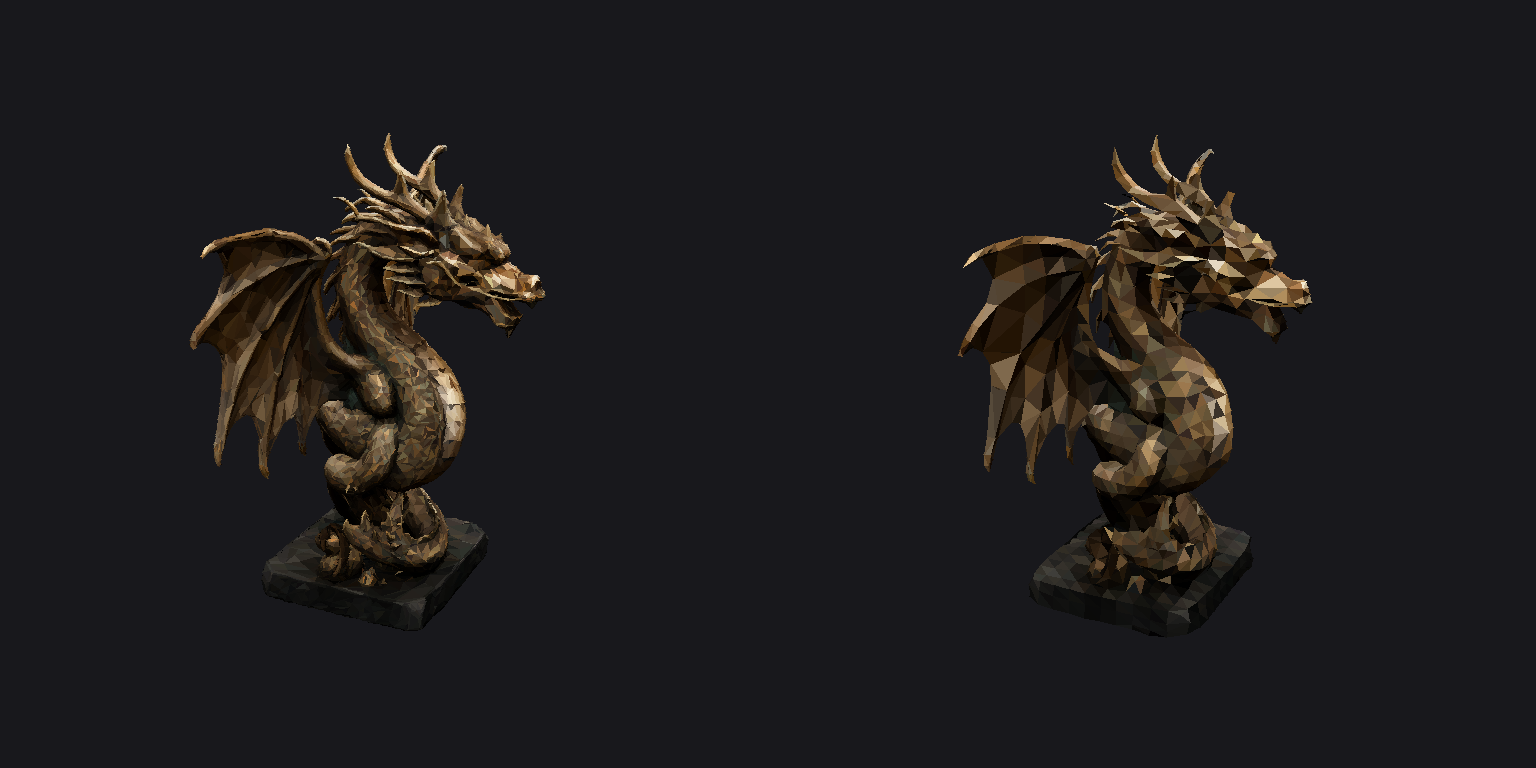
AI mesh generators hand you a prop with a hundred thousand triangles and call it done; engines budget in thousands. This workflow closes that gap in the browser: Idol Max Turbo rebuilds one photo as a textured mesh of exactly 30,000 triangles, then Hyper3D Low Poly (landed on NanoGPT the day before this shipped) retopologizes it down to a face budget you set — 4,000 here, inside its 200–10,000 range — carrying the UVs and PBR textures over. A Gemini surveyor first writes down the silhouette features that must survive the cut, and the GLM guide closes with the budget table (Roblox caps a mesh at 20,000 triangles; mobile props run 300–3,000; WebGL props 1,000–10,000) and the honest edges. The proof is countable, and the counts are printed: the morning probe parsed at 30,000 in, 3,876 out; this saved run parses at 30,000 in, 3,929 out. Automatic retopology lands NEAR its target, not on it — quote the target as a target. Silhouette was checked by rendering both GLBs from three angles: wings, coiled tail, antlered head and plinth all read at ~4k triangles; the chin whiskers, teeth and wing-tip points merge, exactly what the survey flagged as fragile. Flaws and limits: automatic retopology is not hand retopology — a character that must deform at the joints still wants edge loops a person designs; props, environment pieces and LODs are the claim. The diet is in triangles, not megabytes: the diet GLB is 11.8 MB against the heavy mesh's 10.0 MB, because the transferred textures are as large as the source's — texture resolution is a separate lever. Already have a heavy GLB? Wire it straight into the Low Poly node's model input and skip the rebuild. One pricing note the run exposed: Idol Max Turbo's catalog price is variant-based, and the PBR variant this graph uses bills $0.20, not the $0.10 base. The turntable and the before/after still are plain flat-shaded renders of the saved GLBs with their own base-colour textures, not beauty shots.
Make it yours
- Open the graph — save first if the canvas already has your work. Undo brings yours back.
- Swap Object photo for your own photo of one object, and set the face budget on Mesh diet — Hyper3D Low Poly: lower for crowds and mobile, higher for a hero prop. Already have a heavy GLB? Wire it straight into that node's model input and delete the rebuild — retopology is the point. Keep
transfer_textureon so the PBR maps carry over. - Check the editor estimate, then run with your NanoGPT key. Four model calls: the saved run reported $0.4034 in total (Hyper3D Low Poly a flat $0.20, Idol Max Turbo $0.20 — its PBR variant bills $0.20, not the $0.10 base — Gemini survey $0.0034, GLM guide $0.00). Prices and results vary.
- Parse the output GLB and count: automatic retopology lands NEAR its target, not on it — the probe measured 3,876 against the 4,000 target and the saved run 3,929. Compare the before/after still: wings, coiled tail, antlered head and plinth survive; the whiskers and teeth merge. And check the file size before you celebrate — the diet is in triangles, not megabytes: the saved diet GLB is 11.8 MB against the heavy mesh's 10.0 MB, because the transferred textures are as large as the source's.
mesh-diet.NOTE.txt
Download workflow · Original sampled graph · Explore MCP tools · awesome-noodles